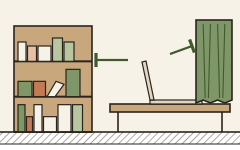
The workshop's standing order: room and placement first, software after — because physical fixes improve every call on every app forever, and they make any later software dramatically better at its job. But the split is real: echo, steady hum and distance are room problems; unpredictable life — voices, sirens, the dog — is where trained filters out-punch furniture. The decision tree below stops you buying the wrong layer.
1. Sort your noise into the two buckets
| Symptom | Layer that fixes it |
|---|---|
| Hollow, echoey voice | Room: mic distance + soft surfaces |
| Constant fan / hum / traffic bed | Room first (seals, distance); software finishes |
| Keyboard, clicks, thumps | Placement (decouple) + software |
| Household voices, pets, sirens | Software — no furniture filters a toddler |
| Noisy callers hurting your ears | Software only — incoming cleanup is a software feature |
The room fixes it
- Hollow, echoey voice
Room first, software finishes
- Constant fan / hum / traffic bed
- Keyboard, clicks, thumps
Software's job
- Household voices, pets, sirens
- Noisy callers hurting your ears
2. Exhaust the free physical layer
- Run the echo guide's mic-distance fix and the placement article's three dials.
- Seal the door, curtain the glass, rug the floor — the pocket-money set.
- Re-run the voice-memo loop and note what is still left.
Chose the software layer?
Treat the room, place the mic, then filter: Krisp's 7-day trial, no card, is room enough to A/B a treated room with and without software — the experiment this whole site exists to encourage.
Run the A/B on a 7-day trial Software vs room treatment — the full picture →3. Add software for the residue it's built for
- If what remains is unpredictable life-noise or noisy far-end callers, that's the trained-filter class — the layer our comparison page assesses.
- Run each tool's free trial against your real household before paying anything.
- Keep one filter active per stream; stacked processors trade cleaning for artifacts.
Still stuck?
- Budget for exactly one purchase? A wired boom headset — it's both a room fix (distance) and a software multiplier.
- Software sounds robotic? Its input is too dirty — go back one layer; give it a closer mic.
- Everything done, still failing? The remaining variable is the network, which is outside what this site covers.
Quick answers
Can software fully replace room treatment?
For echo, no — reverb baked into the capture defeats live filters; distance and surfaces are the cure. For unpredictable noise, software often is the only workable answer. The layers complement; neither substitutes.
Which layer fixes noisy participants on my calls?
Only software with incoming cleanup — no change to your room affects what their mics send. It's the one case where the workshop recommends starting at the software layer.